Setting up bank and card accounts
How bank accounts pair with the chart of accounts, the difference between connected feeds and manual accounts, and what to do when an account closes.
How-toFor Business owners, Bookkeepers, Firm staff
Every bank account has a ledger account
A bank or card account in myBBS is paired one-to-one with an asset account in the chart of accounts. The Banking screen manages the operational side — the feed, statement imports, reconciliation — while the paired ledger account carries the balance that appears on your Balance Sheet.
This pairing is why the register and the ledger cannot drift apart. There is no separate bank balance stored anywhere; the register is a view of the ledger account filtered to that bank account's activity.
Connected feeds versus manual accounts
| Connected feed | Manual account | |
|---|---|---|
| How activity arrives | Pulled automatically from the institution. | You import a statement CSV, or enter activity directly. |
| Latency | Usually a day or so behind the institution. | Whenever you import. |
| Best for | Operating accounts with daily activity. | Accounts with little activity, institutions that cannot be connected, or periods before you connected. |
| Reconciliation | Same process for both — the feed does not reconcile anything on its own. | Same process for both. |
Adding an account
- 1
Open Banking and add an account.
Confirm the entity in the header first — accounts belong to one legal entity.
- 2
Name it the way your team refers to it.
"Operating — Chase 4471" beats "Checking". The last four digits save real time during reconciliation when a business has several accounts at one bank.
- 3
Pair it with a ledger account.
Create a new asset account for a bank account, or a liability account for a card. Do not point two bank accounts at the same ledger account.
- 4
Set the opening balance and its date.
This should match the statement balance on your cutover date. It is the anchor every future reconciliation builds on.
- 5
Connect the feed, or import a statement.
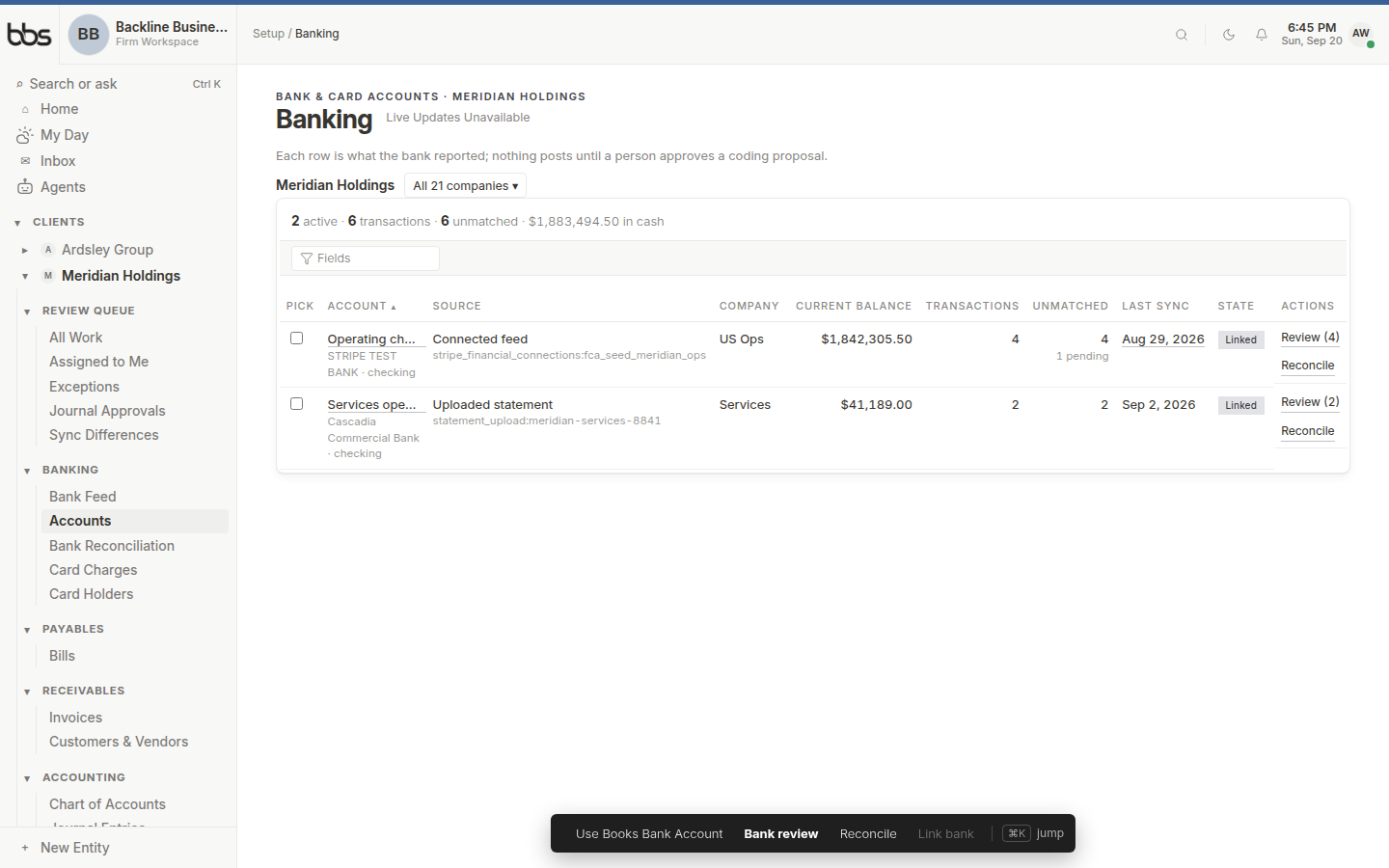
Banking lists every account in the current entity, with its paired ledger account and its import history.
- 1Account and paired ledger account
- 2Balance and last import
- 3Import a statement
Closing and archiving accounts
When a real account closes, archive it rather than deleting it. Archiving removes it from pickers and from the active count while keeping every historical transaction and reconciliation intact.
Before archiving:
- 1
Reconcile it through its final statement.
An account archived mid-reconciliation is a problem you inherit at year end.
- 2
Confirm the ledger balance is zero.
If the real account is closed but the ledger account still shows a balance, something did not post — usually the final transfer out.
- 3
Disconnect the feed.
- 4
Archive the account.
Common questions
That is normal and expected between reconciliations. The feed balance is what the bank says right now; the ledger balance is what has been recorded and coded. Transactions sitting in the feed uncategorized, and outstanding checks that have not cleared, both create a legitimate difference.
Reconciliation is where the two are proven to agree after accounting for timing. If they still disagree after a clean reconciliation, that is a real problem worth chasing.
See alsoReconciling a bank accountMy reconciliation will not balance
Not in the ledger. Each bank account belongs to one legal entity. If one entity's account genuinely pays another entity's costs, record that as an intercompany transaction rather than pointing two entities at one account.
Most often the institution requires re-authentication — a password change or a periodic consent renewal. Reconnect the account from Banking. Import a statement CSV to cover the gap so the period can still be reconciled on time.
See alsoMy bank feed stopped working
Was this useful?