How myBBS is organized
Firm, client, and company; the daily path through Review, Banking, and Close.
QuickstartFor Business owners, Bookkeepers, Firm staff
What this guide is
This page is the orientation: what the product is, the order a working day follows, and the teaching files you can download.
Firm, client, company
Say the names the interface uses: Firm → Client → Company. A firm is the practice. A client is the customer whose books you keep. A company is a legal entity inside that client. Internal identifiers may still say enterprise; you should not.
| You are | You land on | You can see |
|---|---|---|
| Firm staff | Home, My Day, the firm Inbox | Every client you reach, then that client's books. |
| A client's bookkeeper | That client's workspace | Only that client's companies and documents. |
| A portal client | The client portal | Their own reports, requests, and shared files. |
The daily path
Morning close-prep
Work top to bottom. Each step leaves the next one smaller.
- 1
Collect overnight paper.
Documents arriving by email, iMessage, or upload land in the Client Inbox and Document Library.
/help/ai/document-intake
- 2
Decide every new bank line.
Bank Feed is the desk. Proposed coding is visible; accepting it is a human act.
/help/banking/categorizing-transactions
- 3
Clear Exceptions, then Review.
Exceptions are machine work that could not post. Review holds everything still waiting on a person.
/help/close/exceptions-queue
- 4
Enter or send what is still missing.
Bills under Payables, invoices under Receivables, journals under Accounting.
/help/payables/entering-a-bill
- 5
Look at the month you are closing.
Open that month's Close folder. Period is a folder label, not a global filter on the rest of the product.
/help/close/monthly-close
Where to read next
If you are new, read in this order:
- A tour of the workspace — the sidebar groups as they actually appear.
- Your first week — cutover date, chart, opening balances, bank accounts, people.
- Sample documents — teaching CSVs and printable invoice and bill pages.
- How the AI works — what it proposes, and the line it will not cross.
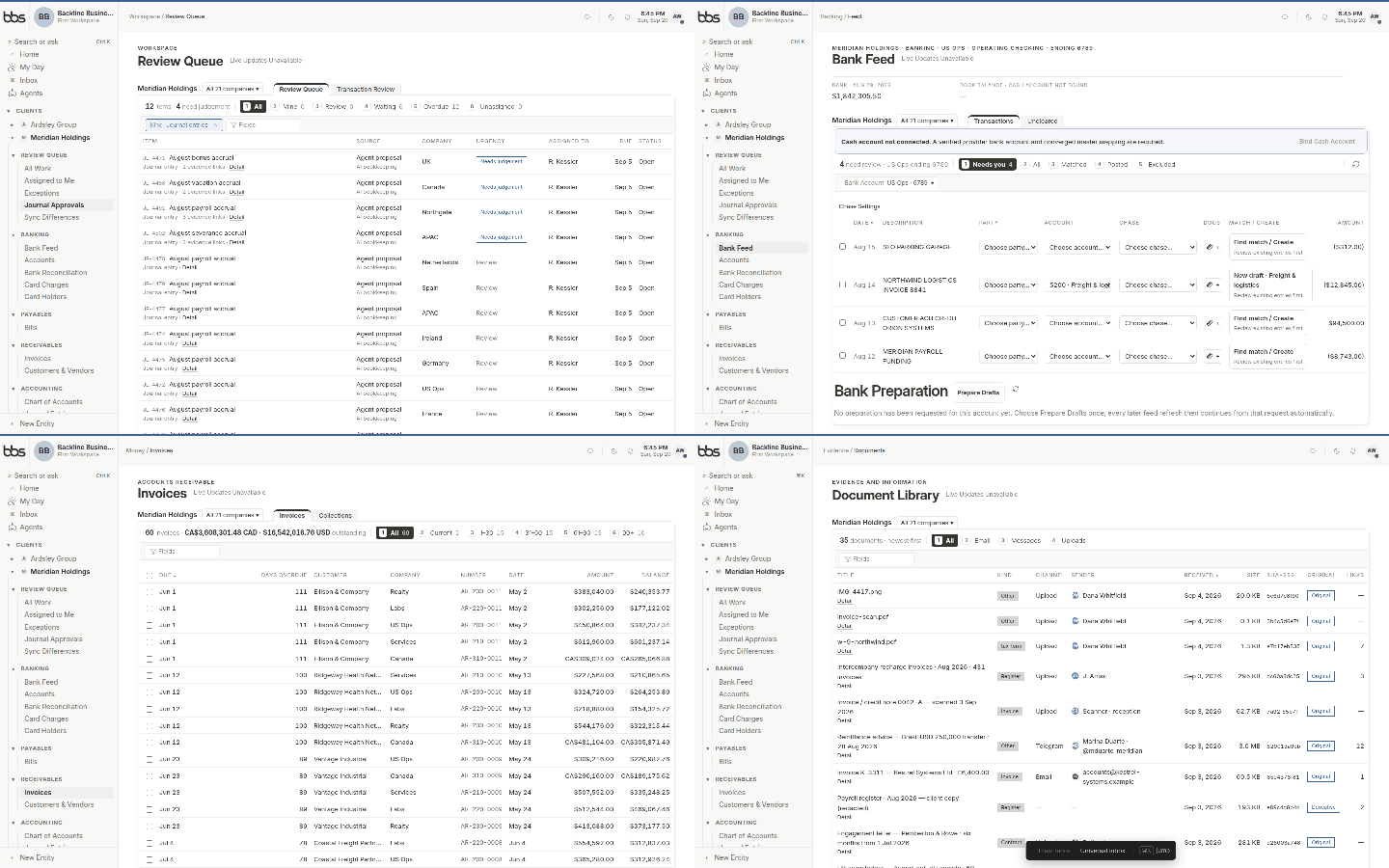
A short loop of the client workspace: Review Queue, Bank Feed, invoices, and Document Library.
Was this useful?